
PowerShell empowers security teams to automate threat detection, streamline incident response, and enforce hardening policies across Windows environments. Its rich cmdlet ecosystem, pipeline flexibility, and cross‑platform support make it indispensable for modern cyber defense. PowerShell adapts to threat.
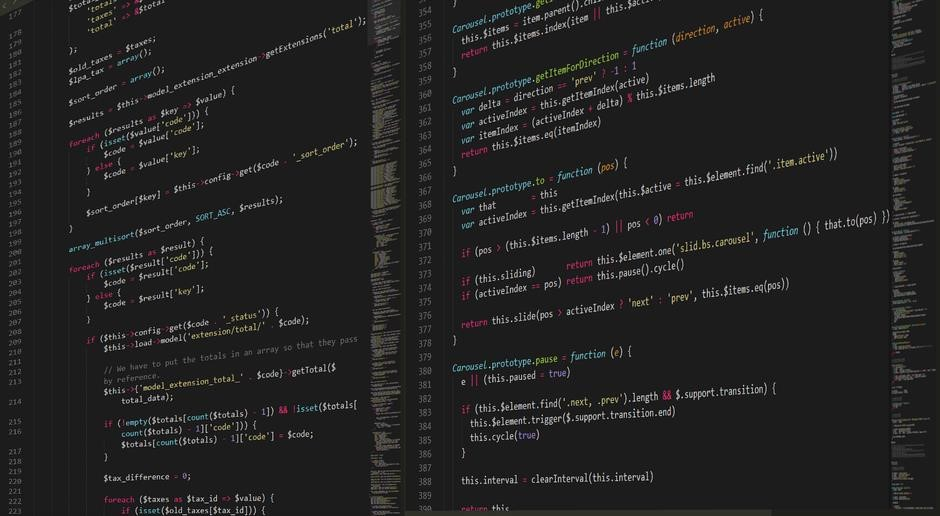
Role of PowerShell in Modern Threat Defense

PowerShell’s scripting engine is a cornerstone of contemporary cyber‑defense, enabling rapid automation of detection, containment, and remediation workflows. By leveraging built‑in cmdlets and security‑oriented modules, analysts can ingest logs from Windows Event, Sysmon, and Azure Sentinel, then pipe the data through filters and custom functions to surface indicators of compromise in real time. The language’s object‑oriented pipeline allows complex data transformations—such as correlating failed logons with credential dumping artifacts—without writing verbose code. PowerShell’s ability to invoke native Windows APIs and interact with the registry also supports hardening tasks, like disabling legacy protocols or enforcing least‑privilege policies, directly from a single script. In incident response, the same scripts that collect evidence can automatically trigger containment actions, quarantine malicious processes, or revoke compromised user tokens. Moreover, PowerShell’s support (PowerShell Core) extends these capabilities to Linux and macOS endpoints, ensuring a unified automation strategy across heterogeneous environments. By integrating with Microsoft 365 security APIs, PowerShell can orchestrate threat intelligence feeds, update mailbox rules, and enforce conditional access policies, closing gaps that attackers exploit. The result is a scalable, auditable, and repeatable defense posture that keeps pace with evolving threat landscapes.
Furthermore, PowerShell’s module ecosystem—such as the Security Compliance Toolkit, Defender for Endpoint cmdlets, and the Azure AD PowerShell module—provides pre‑built functions that abstract complex API calls, allowing defenders to focus on analysis rather than plumbing. The scripting language’s support for background jobs and runspaces enables parallel execution of scans across thousands of hosts, dramatically reducing the time to surface new vulnerabilities. With the advent of PowerShell 7.x, performance improvements and enhanced error handling make scripts more resilient in high‑volume environments. Finally, the ability to sign scripts and enforce execution policies ensures that automation remains tamper‑proof, a critical requirement for compliance frameworks like NIST, ISO 27001, and GDPR. Together, these features position PowerShell as an indispensable tool in the modern threat‑defense arsenal. They also reduce MTTRimprove visibility,resilience.
Core PowerShell Concepts for Security Automation
PowerShell’s core concepts—cmdlets, pipelines, and modules—enable security teams to script repetitive tasks, parse logs, and enforce policies. Cmdlets expose system functions, pipelines stream objects for filtering, and modules bundle security tools for modular automation. Enabling repeatable defense!
Cmdlets, Pipelines, and Security-Oriented Modules
PowerShell’s cmdlets are the atomic operations that expose native Windows APIs, Azure services, and third‑party tools, enabling security professionals to perform tasks such as retrieving event logs, enumerating Active Directory objects, or configuring network policies with a single, readable statement. Pipelines allow these cmdlets to be chained together, passing rich objects between stages rather than raw text; this preserves data types, supports advanced filtering with Where‑Object, and facilitates aggregation with Group‑Object or Measure‑Object. Security‑oriented modules—Microsoft.PowerShell.Security, SecurityComplianceFramework, and community packages like Carbon or PowerShellGet—bundle specialized cmdlets for vulnerability assessment, policy evaluation, and automated remediation. By leveraging cmdlets, pipelines, and modules, analysts can craft compact, maintainable scripts that automate threat hunting, log correlation, and hardening across diverse environments, reducing manual effort and minimizing human error. The modular nature of PowerShell also allows teams to extend functionality with custom modules, ensuring that security automation remains adaptable to evolving threat landscapes and compliance requirements. Furthermore, the ability to import and export modules via PowerShellGet streamlines the deployment of security scripts across multiple endpoints, ensuring consistent policy enforcement and simplifying version control. The integration of native cmdlets with cloud‑native APIs also enables real‑time monitoring of Azure Sentinel workbooks, Microsoft Defender for Endpoint alerts, and Office 365 audit logs, providing a unified scripting interface for cross‑platform threat detection and response. In practice, a single pipeline can ingest thousands of log entries, filter for indicators of compromise, and trigger an automated ticket in ServiceNow, all within a few seconds, demonstrating the power of PowerShell to transform data‑driven security operations into scalable, repeatable processes. By mastering these core concepts, security teams can transition from ad‑hoc scripts to a disciplined automation framework that accelerates incident response, enforces compliance, and enhances overall resilience.

Automating Active Directory Security Management
PowerShell automates AD security by scripting bulk user audits, group policy enforcement, and permission reviews. Scripts can flag orphaned accounts, enforce least‑privilege, and remediate misconfigurations, reducing manual effort and improving compliance. Daily alerts notify admins of policy breaches
Bulk User and Group Auditing Scripts
PowerShell scripts can retrieve and analyze millions of AD objects in seconds, turning manual spreadsheets into real‑time dashboards. By piping Get-ADUser and Get-ADGroup output through Select-Object, Where-Object, and Export-Csv, security teams can spot orphaned accounts, duplicate SIDs, and excessive group memberships. A single script can iterate over all domains, gather last logon timestamps, password age, and account lockout status, then compare results against corporate policy. The output can be fed into SIEMs via Invoke-Command or Invoke-WebRequest, triggering alerts when anomalies appear. Advanced scripts leverage Get-ADObject -Filter with LDAP queries to detect nested group loops or privileged role creep. By scheduling these scripts with Task Scheduler or Azure Automation, auditors receive daily PDFs summarizing findings, while administrators can remediate issues with Set-ADUser or Add-ADGroupMember in a single line. This automation reduces human error, ensures consistent policy enforcement, and frees analysts to focus on threat hunting.
In PowerShell 7, the Import-Csv and ConvertTo-Json cmdlets enable seamless integration with cloud services, allowing audit data to be stored in Azure Blob or sent to Microsoft Sentinel. Scripts can also use Get-ADObject -Properties * to pull custom attributes, facilitating compliance with GDPR or HIPAA. By employing Start-Job and Receive-Job, large environments can parallelize queries, cutting execution time from hours to minutes. Finally, embedding these scripts within a Git repository with signed commits ensures traceability and auditability of every change.
Security teams often need to audit group nesting depth, so a recursive function can traverse Get-ADGroupMember -Recursive to detect circular references that could lead to privilege escalation. The script can output a tree diagram in Graphviz format, which is then rendered into PNG for executive reports. Additionally, by querying the Get-ADComputer cmdlet, auditors can correlate user accounts with the machines they authenticate against, identifying anomalous logins from unfamiliar devices. The entire workflow can be packaged into a single PowerShell module with a New-ADAuditReport cmdlet, exposing parameters for domain, output format, and alert thresholds. This modular design promotes reuse across multiple sites and simplifies onboarding for junior analysts. Such automation not only accelerates compliance checks but also embeds security into the development lifecycle, ensuring that every change in AD is validated against policy before deployment.

Incident Response Automation with PowerShell
PowerShell accelerates incident response by automating log collection, threat hunting, and containment. Scripts pull event logs, parse indicators, isolate compromised hosts, deploy updates, and trigger alerts—all within minutes, reducing MTTR and freeing analysts. It also logs actions for audit trails daily logs!!
Rapid Log Collection and Analysis Scripts
PowerShell’s pipeline and built‑in cmdlets let analysts gather event logs from local and remote machines in seconds. A single script can pull Security, System, and Application logs, filter by event ID, and export to CSV or JSON for correlation. By leveraging the Get-WinEvent cmdlet with -FilterHashtable, you can target specific time ranges and sources, reducing noise. The script can also capture Sysmon logs, which record detailed process creation, network connections, and file modifications, providing a richer attack surface view. Using Export-Csv with -NoTypeInformation keeps files clean.
For real‑time monitoring, the Register-WmiEvent cmdlet watches event logs as they are written, triggering an alert or a custom action. Combined with the Invoke-Command cmdlet, you can run these collectors across an AD forest, ensuring consistent coverage. The event subscription can be set to trigger on critical event IDs like 4625 (failed logon) or 4688 (process creation). The action can invoke a PowerShell workflow that logs to a central file and sends an email. The output can feed into SIEMs via the Write-EventLog or Invoke-Expression for custom parsers.
Automation extends to remediation: once an anomaly is detected, a script can disable a compromised account, reset passwords, or quarantine a machine using Set-ADAccountPassword or Invoke-Command to run shutdown. Logging every action ensures traceability, and the entire workflow can be scheduled with Task Scheduler or a CI/CD pipeline for continuous coverage. The remediation script can log each change to a secure audit trail and optionally trigger a ticket in ServiceNow.
Additionally, PowerShell’s Out-File and Compress-Archive commands archive logs for long‑term retention, while Get-Content can read large files efficiently. By integrating with Azure Monitor or Splunk via REST APIs, scripts can push enriched data directly into cloud analytics platforms. When pushing to cloud, use Invoke-RestMethod with OAuth tokens for secure transmission. This end‑to‑end automation reduces manual effort and speeds up threat hunting cycles.

Vulnerability Assessment and Patch Management
The framework supports scans ensuring zero‑day threats are mitigated soon, with automated rollback and compliance reporting, delivering real‑time alerts and patch deployment across the enterprise, while maintaining audit trails and compliance with industry standards!
Automated Windows Update and Patch Deployment
PowerShell’s built‑in Update‑Session cmdlets and the Windows Update PowerShell module enable security teams to schedule, monitor, and enforce patch compliance across thousands of endpoints. By leveraging Get-WindowsUpdate and Install-WindowsUpdate, scripts can query the WSUS or Microsoft Update catalog, filter by severity, and trigger silent installations during off‑peak hours. The Get-WUInstall function from the PSWindowsUpdate module adds granular control, allowing exclusions for critical applications and rollback options if a patch causes instability. Automation pipelines can capture event logs, generate CSV reports, and push alerts to SIEM platforms via REST APIs, ensuring real‑time visibility into patch status. Integration with Azure Automation or System Center Orchestrator further scales deployments, while the Invoke-Command cmdlet distributes updates across remote machines without manual intervention. Security teams can schedule daily checks, enforce a 48‑hour compliance window, and automatically remediate missing critical updates, thereby reducing the attack surface exposed by unpatched vulnerabilities. By embedding these scripts in a version‑controlled repository and signing them with a trusted certificate, organizations maintain auditability and enforce execution policies that prevent tampering. This approach not only accelerates patch rollouts but also aligns with regulatory frameworks such as NIST SP 800‑53 and ISO 27001, which mandate timely vulnerability remediation. Additionally, the scripts can integrate with Microsoft Defender for Endpoint to trigger automated scans post‑installation, verifying that no new vulnerabilities are introduced. The use of scheduled tasks with the PowerShell ScheduledJob feature allows for self‑healing scripts that re‑attempt failed updates, ensuring resilience against transient network issues.

Integrating PowerShell with Microsoft 365 Security
PowerShell connects to Microsoft 365 via Graph API and Exchange cmdlets, automating threat detection, mailbox auditing, and enforcement. Scripts pull sign‑in logs, enforce MFA, remediate risky accounts, and streamline security across Office 365.
Secure Office 365 Resource Management
PowerShell scripts orchestrate secure provisioning, deprovisioning, and policy enforcement across Office 365. By leveraging Microsoft Graph and Exchange Online cmdlets, administrators can automate user lifecycle events, enforce conditional access, and audit mailbox permissions. Scripts retrieve mailbox audit logs, apply retention policies, and revoke compromised credentials. Role‑based access control (RBAC) is enforced by querying Azure AD roles and updating group memberships. Automated compliance checks validate mailbox encryption, data loss prevention (DLP) rules, and mailbox audit settings, generating CSV reports for SOC analysts. PowerShell’s workflow engine schedules recurring tasks, such as nightly mailbox cleanup, and triggers alerts when anomalous activity is detected. Integration with Microsoft Defender for Office 365 allows scripts to pull threat intelligence, quarantine malicious messages, and update safe sender lists. The use of secure string encryption and certificate‑based authentication ensures that credentials are protected during automation. By embedding these scripts in a version‑controlled repository, teams maintain auditability and traceability of changes, aligning with NIST and ISO 27001 requirements. Continuous monitoring of mailbox usage patterns through PowerShell dashboards helps detect insider threats and policy violations early, enabling rapid remediation. This approach reduces manual effort, ensures compliance, strengthens defenses against threats.

Advanced Scripting Techniques for Cybersecurity
PowerShell’s functions, advanced script blocks, and pipeline enhancements enable threat hunting, policy enforcement. Modules like Az, MSOnline, and Exchange Online cmdlets automate detection remediation, ensuring complianceacross hybrid environments.
Using PowerShell Desired State Configuration (DSC) for Security Hardening
PowerShell Desired State Configuration (DSC) turns security hardening into a declarative, repeatable process. By defining a desired configuration—such as enforcing the latest Windows updates, disabling insecure services, configuring firewall rules, and setting secure registry values—DSC guarantees that every managed node remains compliant with organizational policies. The Configuration block declares the target state, while Apply pushes it to nodes, automatically correcting drift. DSC’s built‑in resources, like File, Service, Registry, and FirewallRule, allow administrators to script complex hardening tasks without writing custom code. Leveraging the PSDesiredStateConfiguration module, security teams can version control configurations in Git, sign them with code‑signing certificates, and schedule regular compliance checks via Task Scheduler or Azure Automation. Integration with Azure Policy and Microsoft Defender for Endpoint provides real‑time monitoring of configuration drift, ensuring that any deviation triggers alerts and remediation. By combining DSC with PowerShell’s Invoke-Command and Invoke-Command -ConfigurationName capabilities, organizations can deploy hardened baselines across thousands of endpoints, reducing the attack surface and simplifying audit preparation; DSC also supports custom resources, enabling the creation of domain‑specific hardening logic that can be reused across environments. The result is a scalable, auditable, and self‑healing security posture that aligns with ISO 27001, NIST SP 800‑53, and CIS Benchmarks, delivering measurable compliance gains while freeing security engineers from manual configuration errors. Continuous validation, automated remediation, and centralized reporting make DSC a cornerstone of modern cyber‑defense automation, ensuring that every machine in the enterprise consistently meets the highest security standards without manual intervention.

Best Practices and Governance for PowerShell Automation
Code signing, version control, and strict execution policies form the backbone of secure PowerShell automation. Enforce signed scripts, use Git for change tracking, and apply the least‑privilege principle with constrained language mode. Regular audits and centralized logging ensure compliance. Secure 2026
Code Signing, Versioning, and Auditable Execution Policies
Code signing is the first line of defense for PowerShell automation. By signing every script with a trusted certificate, you guarantee its integrity and origin, preventing tampering and malicious injection. The Windows Script Execution Policy can be set to AllSigned or RemoteSigned to enforce this rule. When a script is signed, the policy verifies the digital signature before execution, blocking unsigned or altered code. This reduces the attack surface and ensures that only vetted automation runs on endpoints. Versioning complements signing by providing a clear audit trail. Store scripts in a source‑control system such as Git, tagging each release with semantic version numbers. Automated CI pipelines can run tests against each commit, ensuring that new changes do not break existing security logic. The combination of signed binaries and versioned source code creates a reproducible environment where any rollback is straightforward and traceable. Auditable execution policies add an extra layer of accountability. Enable the Enable-PSReadlineKeyHandler and Set-ExecutionPolicy commands to log every script execution to the Windows Event Log. Use the Get-EventLog cmdlet to retrieve execution history, and correlate it with user sessions and system changes. By centralizing logs in a SIEM, you can detect anomalous script activity, enforce least‑privilege execution, and maintain compliance with regulatory frameworks such as NIST or ISO 27001. In practice, a governance framework should include: a certificate authority for signing, a mandatory code‑review process before merging, automated tests for each release, and continuous monitoring of execution logs. By integrating these practices, organizations can safely scale PowerShell automation while preserving security and auditability. Additionally, implementing a robust code signing infrastructure involves setting up an internal certificate authority, rotating certificates regularly, and monitoring revocation lists. Scripts should be stored in a protected repository with branch protection rules, ensuring that only authorized personnel can push changes. Automated deployment pipelines can enforce policy checks, such as static code analysis and dependency scanning, before scripts are signed and released. Regularly audit execution logs for anomalies, and set up alerts for repeated failures or unauthorized attempts to run unsigned scripts. By embedding these controls into the development lifecycle, security teams can maintain a high level of trust in the automation artifacts they deploy.